
You never have to think about food again.
Lazy Meal Planner gives your household a full week of meals and the shopping list that goes with it. Change anything you don’t fancy.

14-day free trial
£6.99 a month or £39.99 a year
Android only
The hardest part of dinner is deciding what it is.
Every evening starts with the same small negotiation. What is in, who is eating, who won’t touch mushrooms, and whether anyone can face pasta again. You are not short of recipes. You have hundreds saved. That is the problem.
Deciding is the tiring part, not the cooking.
Lazy Meal Planner does the deciding. You get a week that already works for the people in your house, and a list of what to buy.
How it works
-
Step one
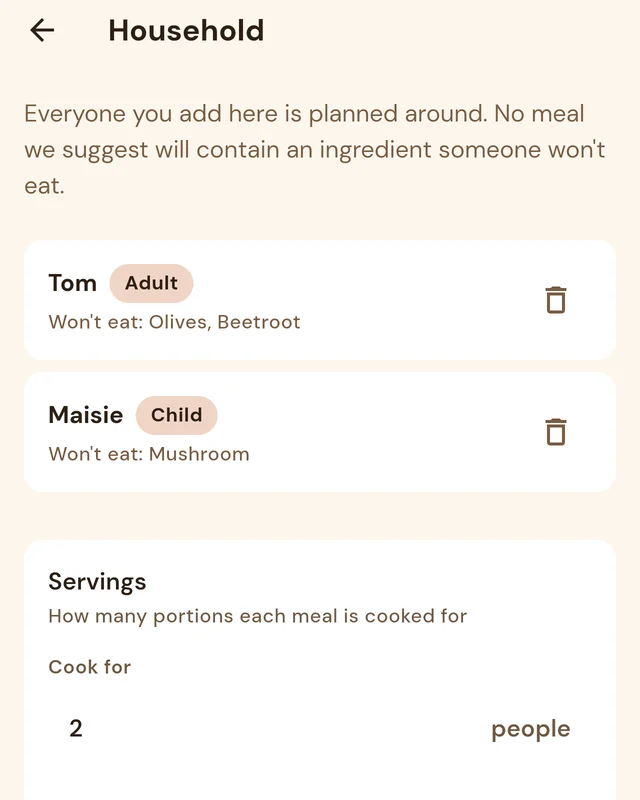
Tell it who is eating
Add the people in your household and what each of them won’t eat. Pick which meals you actually have in a day, and add your own if your day has a shape nobody else’s does. Say how long you are willing to spend cooking. If you count calories and macros, you can set targets and the plan will work to them.
-
Step two
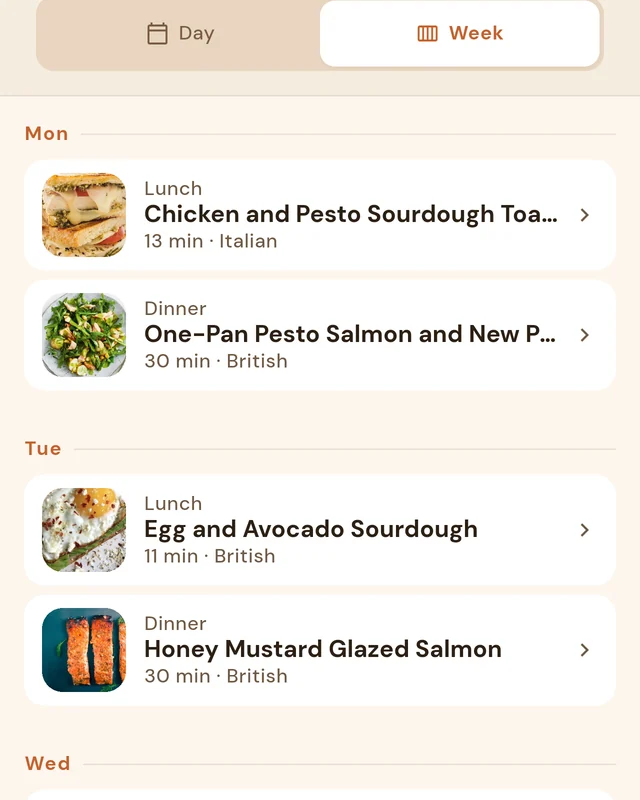
Get the week planned
The AI builds the whole week in one go, across every meal slot you chose. It checks every household member’s dislikes before it puts anything in front of you. Nothing arrives half-finished — you get a complete plan, and then you edit the bits you disagree with.
-
Step three
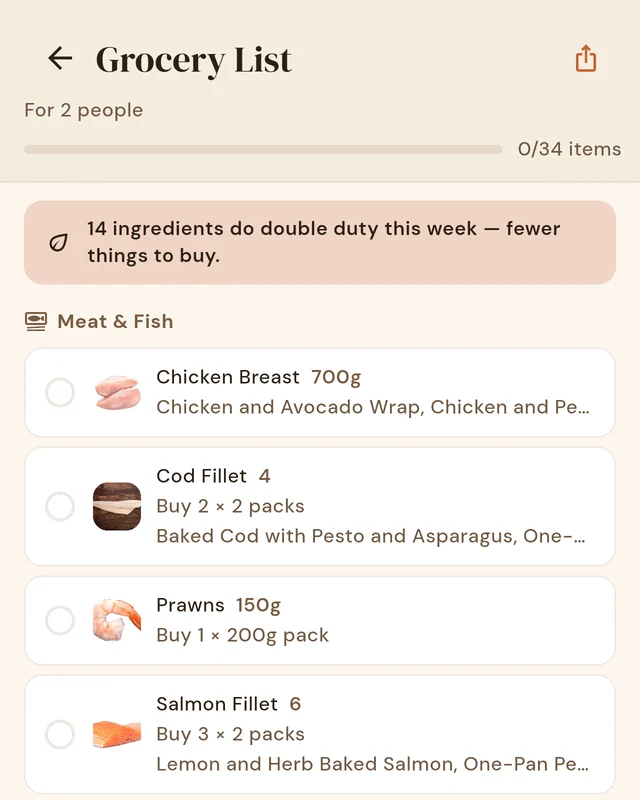
Do one shop
Every ingredient across the week is added up and grouped into sections — fresh things first, cupboard things last, roughly the order you move through a shop. One tomato purée for four meals, not four entries. You walk the shop once and you are done.
You can just ask it things.
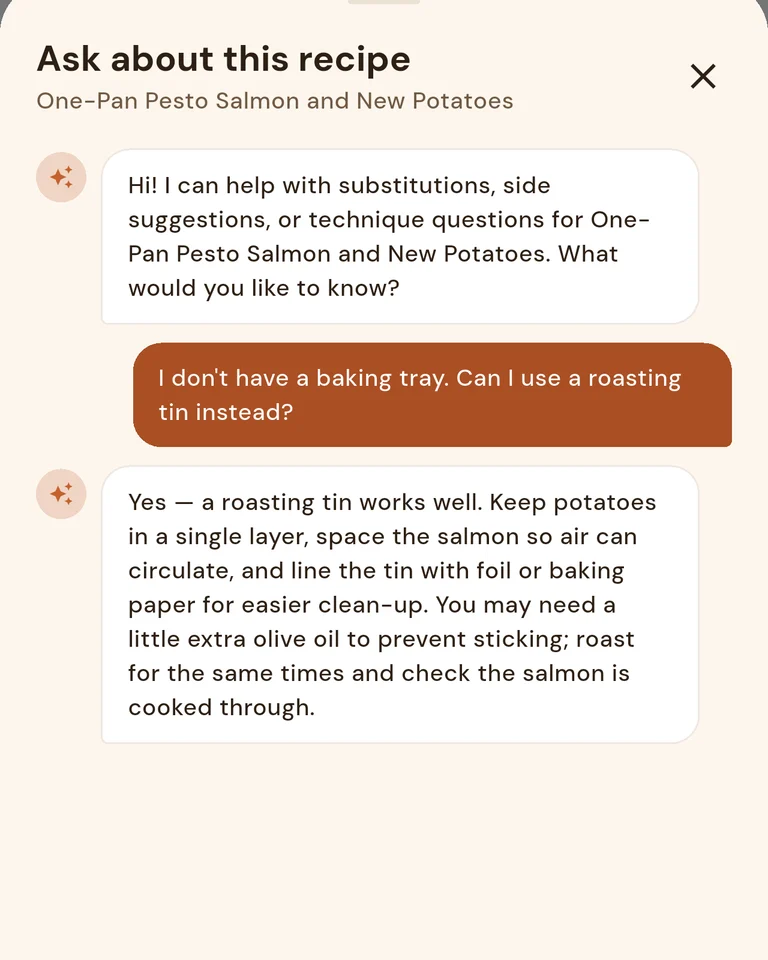
Open a recipe and you can ask about it there and then. The assistant already knows which meal you are looking at, so you never have to explain which one you mean.
“I don’t have a casserole dish. Is a large non-stick pot okay?”
It works the other way round too. Tell it what is already in the house and ask it to build a meal around that, or describe the kind of thing you are after and let it find one.
“Make me something with the chicken thighs, a courgette and half a tin of chickpeas.”
“I want something high in protein that I could batch cook on Sunday.”
Ask for a meal and it looks through the catalogue for the best fit, then drops it straight into the day you want. Ask it to write you something new and it will draft the recipe itself. Either way you describe what you want, rather than working a filter. And when what comes back is not right, saying so is just as useful.
You tell it what you have in. The app keeps no record of what is in your kitchen and does not carry it from one conversation to the next. Chat, plain-English search and meal generation are subscription features.
Saying no is how it learns.
A recipe app with filters gives you a shorter list to choose from. You are still choosing.
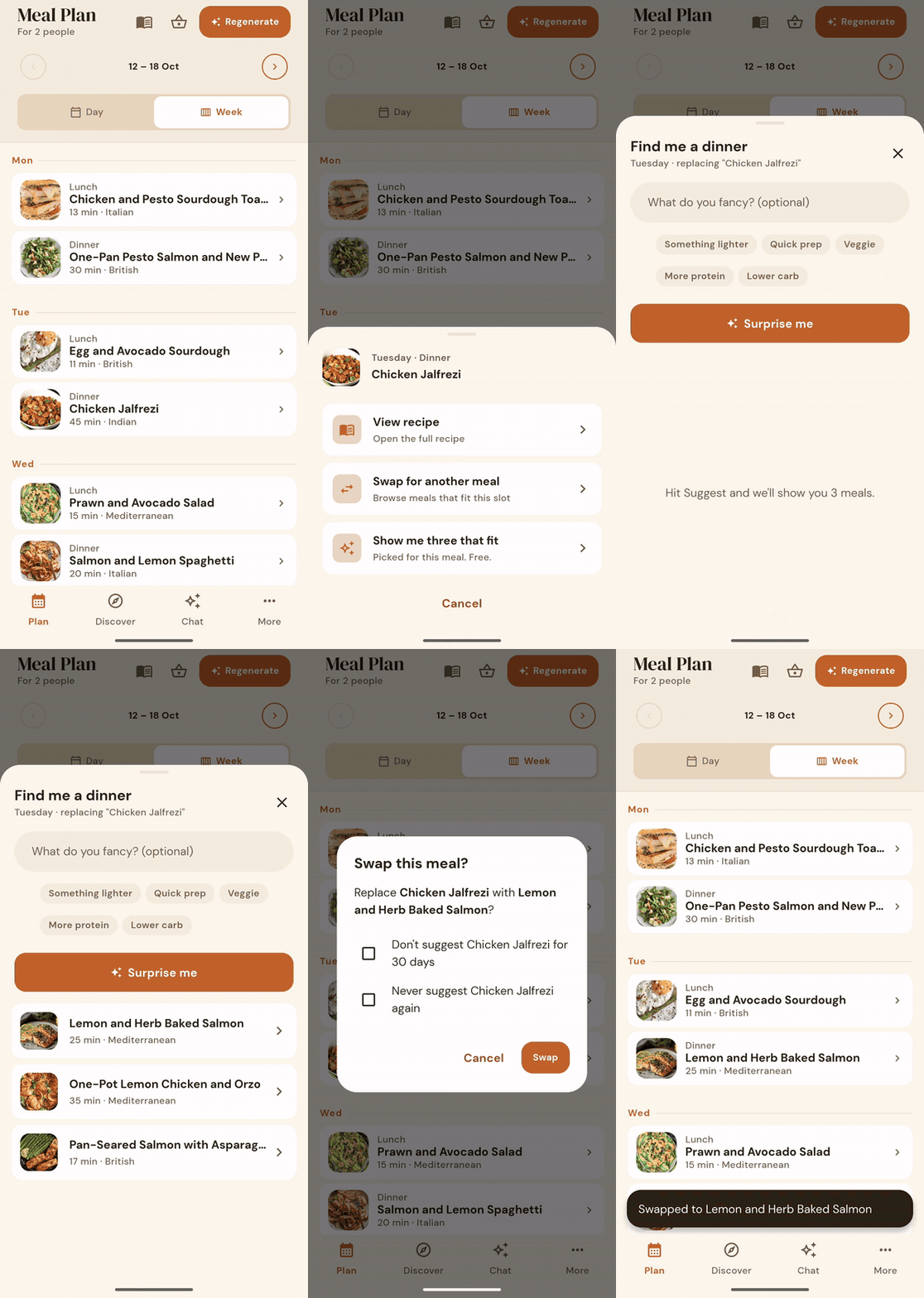
Rejecting something is useful. Tell it you don’t fancy a meal and it hides it for a month. Tell it never again and it never comes back. Favourite the ones that worked and you see more like them.
You do not fill in a preferences form and hope. The plan gets more like your house every week, just from using it.
Swap a meal yourself from the catalogue, or ask the AI for a better fit. Change as much of the week as you like, and the shopping list keeps up.
The list is already written.
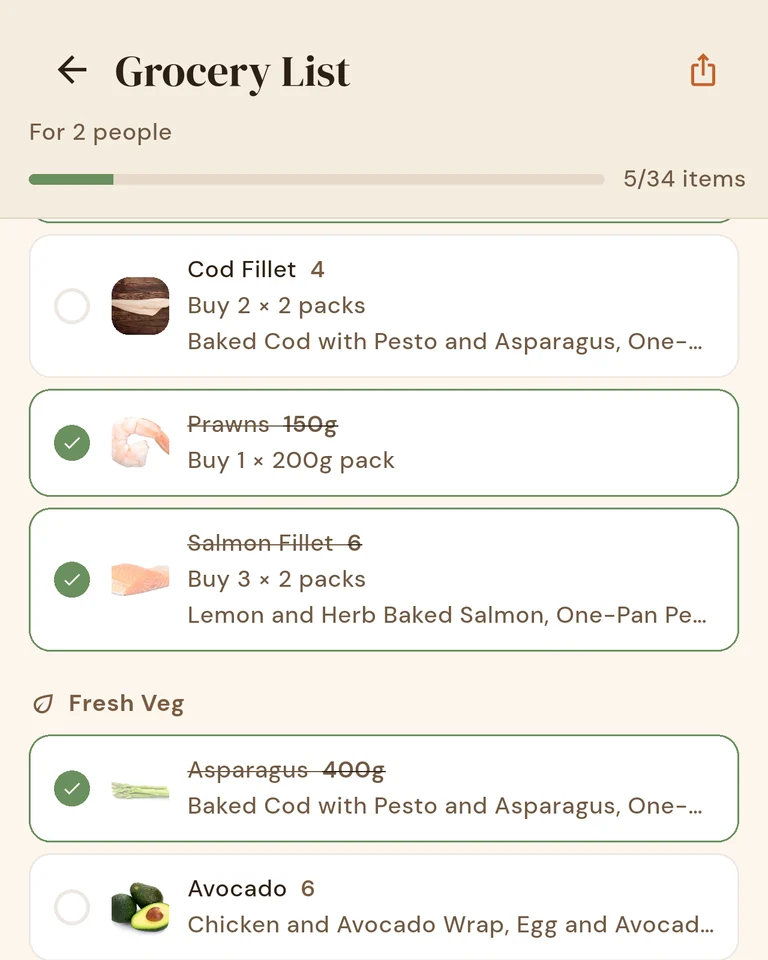
The shopping list is not something you build. It is what falls out of having a plan. Every ingredient from every meal in the week, added together and grouped into seven sections: Meat & Fish, Fresh Veg, Dairy, Bakery, Tins & Dry Goods, Frozen and Other.
Similar things fold into one line, so passata bought for one meal and chopped tomatoes for another arrive as a single entry. Every line tells you which meals it is for. A banner at the top counts how many ingredients are pulling double duty across the week.
Cupboard staples — salt, oil, flour, stock cubes — are kept out of the main list and put in a section of their own, headed “check you have these”, so the buy-list stays short. That section is the same for everyone. The app has no idea what is actually in your kitchen.
Tick things off as you shop. Quantities scale to the number of people you are feeding, so you do not do the arithmetic. Send the whole list to someone as plain text if they are doing the shop instead.
What it doesn’t do: fill a supermarket basket for you, or compare prices between shops. Where and how you shop is your business.
Free and paid
A lot of the app is free and stays free, including a basic week of meals. The parts where the AI does the work are the parts you pay for.
Free
- A basic week of meals, planned for you
- Browse 515 meals across 21 shelves, plus one picked for you
- Search by keyword
- Swap any meal by picking one yourself, or take a suggestion the app makes without AI
- Add any meal to your plan
- Change servings, or swap and remove ingredients in any recipe
- Import a recipe from a web address
- The full shopping list, grouped into sections
- Your cookbooks
- Favourites, dislikes and hard passes
With a subscription
- Change and tailor your week with AI
- Plan further ahead than the free week
- Chat to plan, tweak and find meals
- Get meal suggestions from what you describe
- Ask what to use instead of an ingredient
- Search in plain English, not keywords
- Import a recipe by pasting the text
- Create a new meal from a description
- Tidy up what the app remembers about you
The features that use the AI need a subscription. The rest of the app is free.
Pricing
Monthly
£6.99 a month
Better value
Yearly
£39.99 a year
Works out at about £3.33 a month.
New subscribers are usually offered a 14-day free trial. Google Play decides who is eligible. The trial is run by Google Play and begins when you subscribe, so Google will ask for a payment method before it starts. You are not charged during the 14 days.
Cancel any time in Google Play. If you cancel before the trial ends, you pay nothing. After that, the subscription renews automatically until you cancel, and you can manage or cancel it from your Google Play account.
Android only for now. There is no iPhone version.
Frequently asked questions
Do I need to give card details to start the free trial?
Yes. The trial is run through Google Play, and Google requires a payment method before it will start one. You are not charged for the first 14 days, and cancelling before day 14 costs you nothing.
What can I do without a subscription?
Get a basic week of meals planned for you, browse and search the whole catalogue, favourite what you like, add meals yourself, swap meals by picking replacements or taking a suggestion the app makes without AI, import a recipe from a web address, keep cookbooks, and use the full shopping list, grouped into sections. The AI features — changing and tailoring your week with AI, planning further ahead, chat, suggestions from what you describe, ingredient substitutions, plain-English search, paste-text import and meal generation — need a subscription.
Does it handle calories and macros?
If you want it to. Setting daily calorie and macro targets is free, and so is seeing how a day adds up against them. The free week is chosen with those targets in mind, and with a subscription the AI can change and tailor it for you. Most meals in the catalogue carry nutrition data, though a small number do not yet, and where a figure is missing we leave it out rather than guess. This is a planning tool, not medical or dietary advice — if you have a health condition or a specific dietary requirement, talk to a professional rather than an app.
Can I add my own recipes?
Yes. Paste in a web address and the app reads the recipe from the page, which is free and does not need a subscription. With a subscription you can also paste raw text, or describe a meal and have one generated for you. Anything you add goes into your own meals and can be planned and shopped like the rest.
What if someone in the house won’t eat something?
You add everyone in the house when you first set the app up, along with the ingredients each of them will not eat. Every plan is checked against all of those lists before a meal is offered. Editing your household after setup is not in the app yet. Separately, you can reject any meal at any time: not for me hides it for thirty days, never show again removes it for good.
Is there an iPhone version?
No. Lazy Meal Planner is on Android, through Google Play. We are not announcing anything about other platforms.